In this guide
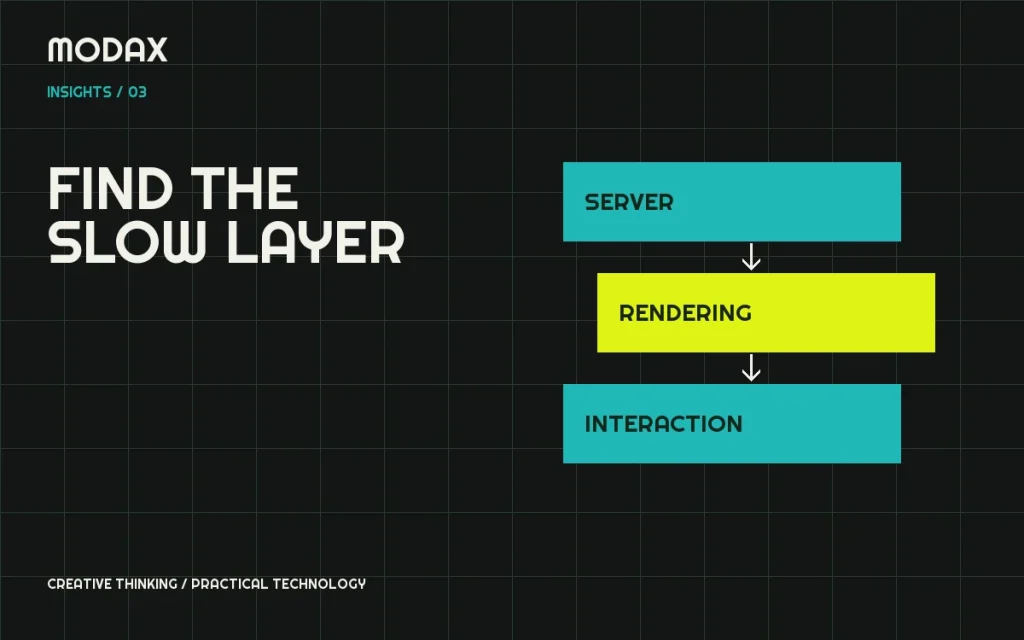
A slow store is a symptom, not a diagnosis. If anonymous product pages load quickly but checkout stalls, compressing the hero image is unlikely to solve the whole problem. If the server responds promptly but the page freezes during interaction, a hosting upgrade may leave the main issue untouched.
Create a small test matrix before changing anything: a category page, product page, populated cart, checkout and a representative administrative task. Note whether the visitor is logged in, the cart contains items, the cache is warm and external integrations are active. Those conditions make results comparable.
Separate field experience from a lab test
Core Web Vitals measure loading, interaction responsiveness and visual stability. Their good thresholds are LCP at or below 2.5 seconds, INP at or below 200 milliseconds and CLS at or below 0.1, assessed at the 75th percentile of real visits. A Lighthouse test is a controlled diagnostic sample; it does not prove the store meets those field targets. Total Blocking Time is useful lab evidence, but it is not INP.
When field data is unavailable, say so. Use lab runs to locate problems and compare controlled changes, then confirm the effect with sufficient real-user evidence.
Hosting and server response
Inspect response time, resource pressure and error logs during the slow workflow. A store may need a more suitable hosting configuration, but first distinguish CPU/database work from a delayed external request. A payment API or inventory service can hold a request open even when local resources are healthy.
Use a staging copy and suitable profiling tools. Do not turn on verbose public debugging or expose logs containing customer data. Establish a baseline and change one significant variable at a time.
Database and background work
Look for slow or repeated queries, oversized autoloaded options and scheduled tasks competing with interactive requests. Do not bulk-delete records because their table names look unfamiliar. Orders, subscriptions and plugin-specific records may be operationally essential.
WooCommerce's HPOS documentation describes its dedicated order tables and compatibility requirements. Treat a storage change as a planned migration with extension checks, synchronization and recovery, not a universal one-click speed fix. Use supported WooCommerce data interfaces in custom integrations.
Plugin overhead and theme architecture
Count the expensive work, not just the plugins. A single synchronous integration or unbounded query can dominate a request. Temporarily isolating a suspected dependency on staging can establish whether it contributes to the delay. Record what functionality disappears when it is disabled; never use production checkout as an experiment.
Review the theme's request-specific assets. A product gallery may need its interaction code on a product page, while a static editorial page does not need the same library. Remove unnecessary loading only after confirming dependencies.
JavaScript, images and layout
Inspect long tasks, third-party scripts and oversized bundles in browser diagnostics. Defer code only when its initialization order and required interactions remain correct. Moving a problem later in the load sequence does not eliminate its cost.
Serve appropriately sized images with useful intrinsic dimensions. Prioritize the image actually responsible for LCP, and lazy-load suitable below-the-fold media. Avoid lazy-loading the critical hero blindly. Reserve space for images, embeds and notices so they do not push content around after the visitor starts reading.
Cache with session behavior in mind
Public catalog caching and session-specific caching have different constraints. Cart, checkout, account pages and customer-specific prices must remain correct for the current user. Test cache exclusions, cookies and logged-in behavior with the actual cache/CDN provider. Do not serve one customer's personalized response to another visitor.
| Observation | Investigation |
|---|---|
| Slow first server response | Request profiling, database and remote calls |
| Fast response, late hero | Critical image/font discovery and render dependencies |
| Input lags after load | Main-thread work and interaction handlers |
| Cart differs between visitors | Cache/session correctness before speed tuning |
Make the result repeatable
After each change, repeat the same page and session tests. Check payment initiation, coupons, shipping calculation, order creation and refunds where relevant. Compare multiple runs and watch for regressions after updates. Keep rollback instructions with the change.
A technical support review should begin with the slow URL, affected workflow, approximate time of the problem and available measurements. Modax can help define the diagnostic scope; any promised improvement should follow evidence from the actual store, not a generic score guarantee.